> For the complete documentation index, see [llms.txt](https://docs.pay.io/llms.txt). Markdown versions of documentation pages are available by appending `.md` to page URLs; this page is available as [Markdown](https://docs.pay.io/getting-started/how-to-get-started.md).
# How to Get Started?
Thank you for your interest in Pay.io. You are taking the first step towards a unified platform ecosystem that **delivers** **instant** **control** and **compliant** crypto **payments** **management technology**.
We have designed our onboarding process to be as thorough and secure as our platform, ensuring we meet the specific needs of CTOs, CFOs, and Compliance Officers in the iGaming sector.
Please follow the steps below to begin your journey.
{% stepper %}
{% step %}
### Request Early Access
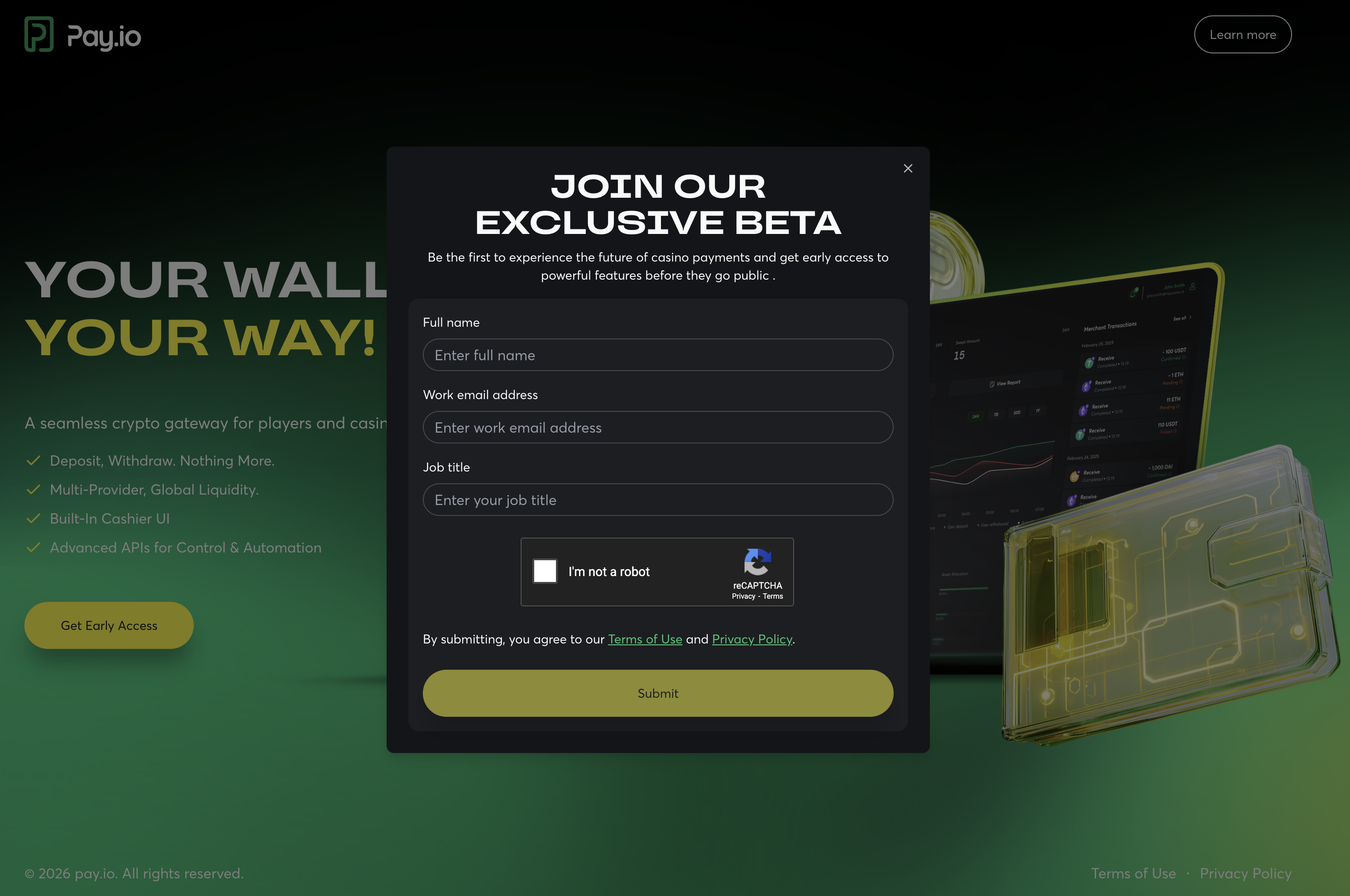
Navigate to the [Pay.io website](https://www.pay.io) and click the **“Get Early Access”** button. You will be asked to provide key professional details, so we'll know whom to contact.
Please complete the Captcha verification and agree to our Terms and Conditions to submit your request.
{% hint style="info" %}
During the Beta Program, please be aware that [Service Level Agreement (SLA) ](/service-level-agreement-sla-for-pay.io-during-beta-program.md)is applied.
{% endhint %}
{% endstep %}
{% step %}
### Discovery Consultation
Once your request is received, our Sales Team will contact you shortly. During this consultation, we will introduce you to the platform's core components - [**the Merchant Console**](/learn-the-basics/what-is-the-merchant-console.md) and [**Cashier UI**](/learn-the-basics/what-is-the-cashier-ui.md) - and discuss how our solution can specifically address your operational challenges.
{% endstep %}
{% step %}
### Account Provisioning
To get started, our team will configure a dedicated environment for you. We will generate your initial login credentials and send them to you securely via email. Follow along the [Creating an Account ](/getting-started/creating-an-account.md)guide to assist you in this step.
{% endstep %}
{% step %}
### Compliance Verification (KYB & AML)
As a compliant B2B platform, we adhere to strict regulatory standards. We will guide you through our **Know Your Business (KYB)** and **Anti-Money Laundering (AML)** verification processes. This ensures a secure environment for all clients.
{% endstep %}
{% endstepper %}
#### What’s Next?
Once you have received your credentials, you are ready to log in and begin configuring your workspace. See [Creating an Account](/getting-started/creating-an-account.md) for a step-by-step walkthrough of your first login.
---
# Agent Instructions
This documentation is published with GitBook. GitBook is the documentation platform designed so that both humans and AI agents can read, navigate, and reason over technical content effectively. Learn more at gitbook.com.
## Querying This Documentation
If you need additional information that is not directly available in this page, you can query the documentation by asking a question.
Perform an HTTP GET request on the following URL with the `ask` and `goal` query parameters:
```
GET https://docs.pay.io/getting-started/how-to-get-started.md?ask=&goal=
```
`ask` is the immediate question: it should be specific, self-contained, and written in natural language.
`goal` is what the user is ultimately trying to achieve, the reason they need the answer. Sharing it helps GitBook give you a better, more relevant answer. A goal is most helpful when it describes the outcome the user wants rather than restating the question. For example, with `ask=how do I create an API token`, a goal like `automate deployments from our CI pipeline` lets GitBook tailor the answer to that use case.
The response will contain a direct answer to the question and relevant excerpts and sources from the documentation.
Use this mechanism when the answer is not explicitly present in the current page, you need clarification or additional context, or you want to retrieve related documentation sections.