> For the complete documentation index, see [llms.txt](https://docs.pay.io/llms.txt). Markdown versions of documentation pages are available by appending `.md` to page URLs; this page is available as [Markdown](https://docs.pay.io/assets/treasury-wallet.md).
# Treasury Wallet
In Pay.io, we offer **a two-wallet system** —[ **Hot Wallet**](/assets/hot-wallet.md) and **Treasury Wallet**.
The **Treasury Wallet** is your secure, **self-custody** storage for funds held outside the active payment layer.
Unlike the Hot Wallet, which is managed by Pay.io to support day-to-day player transactions, **the Treasury Wallet is held entirely under your custody via passkey authentication**. Pay.io does not have access to these funds or holds them.
Think of it as your **vault**. It sits outside the operational layer, protecting your profits and surplus balances from exposure, whilst remaining accessible whenever you need to replenish your Hot Wallet or withdraw funds to an external destination entirely.
{% hint style="warning" %}
Treasury Wallet can be configured after [**Business Verification** ](/getting-started/how-to-get-started.md#compliance-verification-kyb-and-aml) procedures are **completed**.
{% endhint %}
### What's in the Treasury Wallet
The Treasury Wallet page gives you full visibility over your secured holdings through key views:
**Secure Storage value** which shows the total combined value of assets held in your Treasury Wallet
**Balance Overview** which displays a per-asset breakdown of all funds currently held in your Treasury Wallet. Each row displays the asset, network, and current balance in crypto and fiat, giving you a clear picture of your total secured holdings at a glance.
**Key Actions** allowing you to initiate inbound and outbound movement — a deposit directly to Treasury Wallet, a transfer back to your Hot Wallet, or a withdrawal to an external wallet or exchange.
***
### Treasury Wallet vs. Hot Wallet At a Glance
| | Hot Wallet | Treasury Wallet |
| ---------------------- | ------------------------------------------------------------------------------------- | --------------------------------------------------------- |
| **Purpose** | Operational liquidity for active payment flows | Secure storage of surplus and profit funds |
| **Custody** | Managed by Boomfi | Under your own custody (passkey-protected) |
| **Funded by** | Manual deposits, transfers from Treasury | Automatic sweeps, Hot Wallet transfers, external deposits |
| **Outbound transfers** | Player withdrawals and deposits, sweeps to Treasury and manual transfers to Treasury. | Transfers to Hot Wallet, withdrawals to external wallets. |
| **Player-facing** | Yes — powers deposits and withdrawals | No |
| **Pay.io access** | No | No |
***
### Setting up the Treasury Wallet (Admin only)
Treasury Wallets are set up automatically by Pay.io whenever a new asset is added and configured in your Hot Wallet — there is no need to create them manually on a per-asset basis.
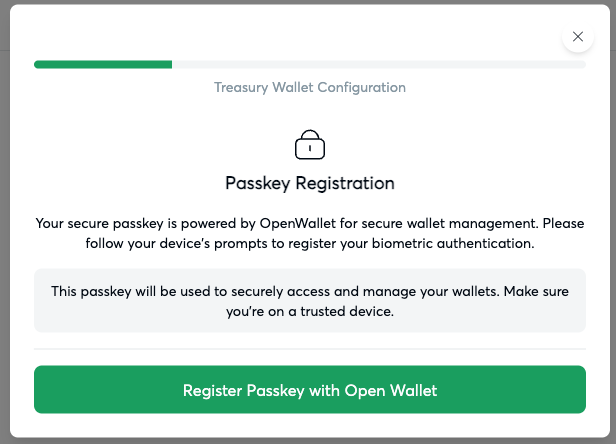
However, before any Treasury Wallet can be used, a **one-time setup** is required to register your passkeys and confirm the wallets under your custody. You'll be prompted to complete the passkey registration when setting up your wallets.
Passkey Registration pop-up for Treasury Wallet configuration
#### **Prerequisites**
* At least one asset must be configured and active in your **Hot Wallet**. See [Asset Management](/assets/asset-management-add-edit-disable.md) for guidance.
#### **First-Time Setup**
{% stepper %}
{% step %}
### **Navigate to the Treasury Wallet Page**
From the left-hand navigation, select **Treasury Wallet**. If no Treasury Wallets have been confirmed yet, you will be prompted to complete the setup flow.
{% endstep %}
{% step %}
### **Register Your Passkeys**
You will be asked to register a passkey for your Treasury Wallet. This passkey is the authentication mechanism that places Treasury wallet with its assets under your **sole** **custody** — it is not stored or accessible by Pay.io.
{% hint style="info" %}
**Store your passkey credentials securely.**
Loss of your passkey may prevent access to your Treasury Wallet funds. Pay.io cannot recover access on your behalf.
{% endhint %}
{% endstep %}
{% step %}
### **Create Treasury Wallet With Your Passkeys**
Once the passkey has been registered, you will be asked to sign the wallet creation request using your newly registered passkey. This cryptographically confirms your ownership of the Treasury Wallets being created.
{% endstep %}
{% step %}
### **Finalise the Process**
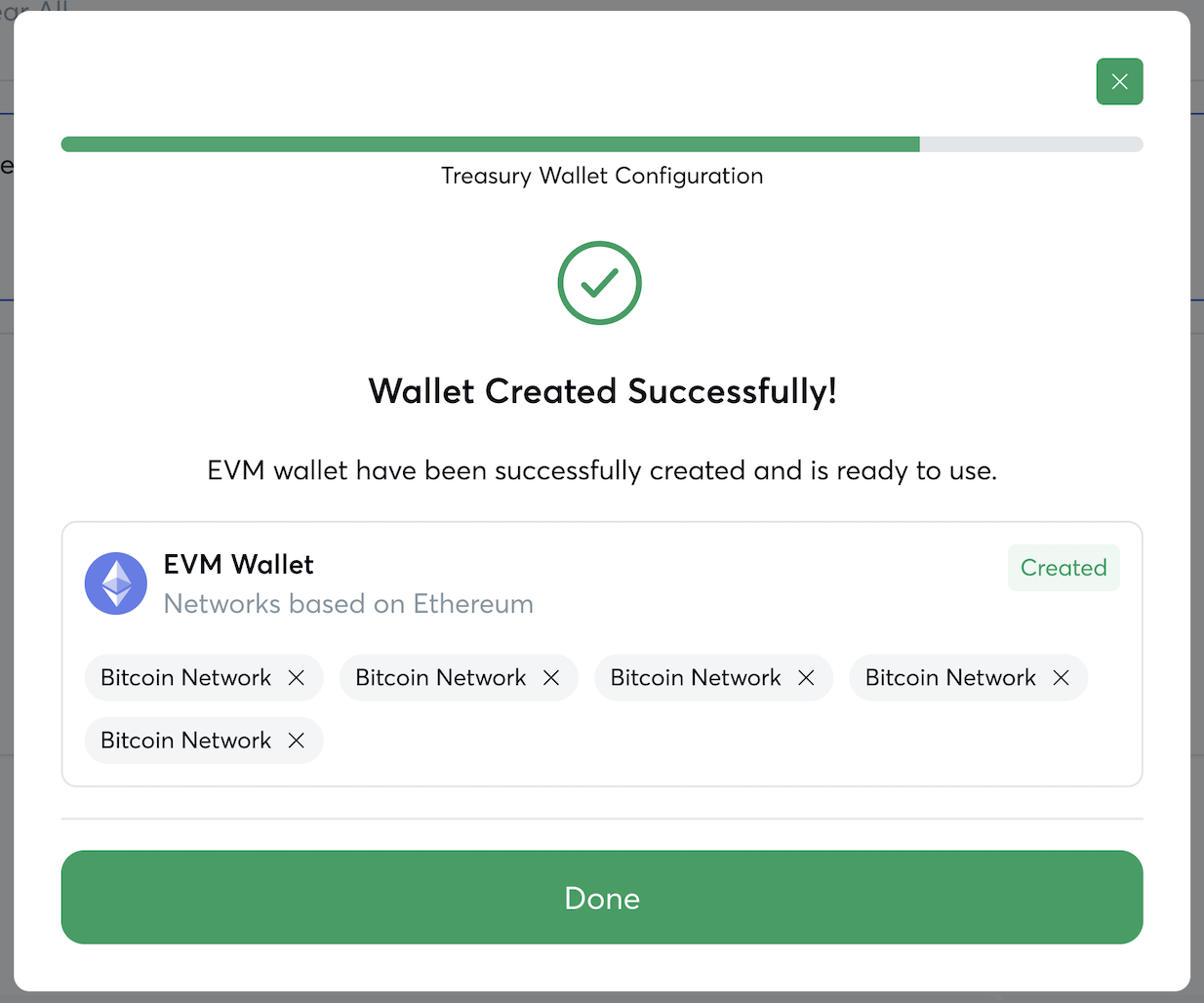
Review the wallets to be created — one per configured asset network — and click "Done". Your Treasury Wallets will now be active and ready to receive funds.
{% endstep %}
{% endstepper %}
***
### How the Treasury Wallet Is Funded
The Treasury Wallet can be funded in three ways:
| Funding Method | Description |
| ----------------------------- | ---------------------------------------------------------------------------------------------------------------------------------------------------------------------------------------------------------------------------------------------------------------------------------------------------- |
| **Automatic Sweeps** | When your Hot Wallet balance exceeds the maximum retained threshold you have configured, funds are automatically transferred to your Treasury Wallet. This is the primary funding mechanism for most operations. See how to [set up sweep logic per asset](/assets/setting-up-sweeps-and-alerts.md). |
| **Transfers from Hot Wallet** | You can manually initiate a transfer from your Hot Wallet to the Treasury Wallet at any time from the Hot Wallet page. |
| **External Wallet Deposits** | Treasury Wallets can also receive funds directly from any external wallet or exchange, bypassing the Hot Wallet entirely. |
***
#### What's Next?
* [Setting up Sweeps and Alerts](/assets/setting-up-sweeps-and-alerts.md) to automate the movement of excess funds from your Hot Wallet into your Treasury Wallet.
* [Transfer From Hot Wallet to Treasury Wallet](/assets/treasury-wallet/transfer-from-hot-wallet-to-treasury-wallet.md) to manually move surplus funds from your operational float into secure self-custody storage.
* [Transfer From Treasury Wallet to Hot Wallet](/assets/treasury-wallet/transfer-from-treasury-wallet-to-hot-wallet.md) to replenish your operational float by moving funds back into the Hot Wallet.
* [Depositing to Your Treasury Wallet](/assets/treasury-wallet/deposit-to-treasury-wallet.md) to fund your Treasury Wallet directly from an external wallet or exchange.
* [Withdrawing From Your Treasury Wallet](/assets/treasury-wallet/withdraw-from-treasury-wallet.md) to send funds from your Treasury Wallet to an external wallet or exchange, exiting the Pay.io system entirely.
---
# Agent Instructions
This documentation is published with GitBook. GitBook is the documentation platform designed so that both humans and AI agents can read, navigate, and reason over technical content effectively. Learn more at gitbook.com.
## Querying This Documentation
If you need additional information that is not directly available in this page, you can query the documentation dynamically by asking a question.
Perform an HTTP GET request on the current page URL with the `ask` query parameter, and the optional `goal` query parameter:
```
GET https://docs.pay.io/assets/treasury-wallet.md?ask=&goal=
```
`ask` is the immediate question: it should be specific, self-contained, and written in natural language.
`goal` is optional and describes the broader end goal you are ultimately trying to accomplish on behalf of the user. GitBook uses it to tailor the answer towards what is most useful for that goal.
The response will contain a direct answer to the question and relevant excerpts and sources from the documentation.
Use this mechanism when the answer is not explicitly present in the current page, you need clarification or additional context, or you want to retrieve related documentation sections.